Five steps.
Then you just pay.
Set it up once, inside the bank app you already use. After that your everyday card quietly spends the money sitting in your wallets.
Enrol with your issuer
Open your bank’s app and switch Accept² on.
No new app to download. No new card in the post. It sits inside the app you already have.
You do this onceAdd a service
 accept2
Spend your wallet money on this card
accept2
Spend your wallet money on this card
Turned on
Connect your card
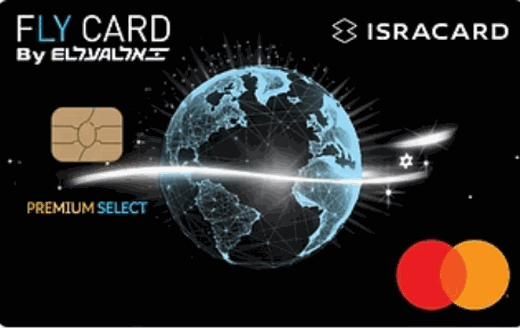
Pick the card you already carry.
Same card. Same PIN. Same piece of plastic in your pocket. Nothing is replaced and nothing is re‑issued.
You do this onceChoose your card
FlyCard connected
Choose your wallets
Tick the wallets that hold your money, then sign in to each one.
You sign in the same way you always do. Once it is linked, you never have to do it again.
You do this onceAdd your wallets
Sign in to PayBox
you@email.com •••••••• Sign inSet your rules
Say which money to spend first — or let Accept² decide for you.
Put your wallets in the order you like, or hand it over and let it pick the best balance each time. You can change your mind whenever you want.
Change it any timeWhich money first?
 Bit
2
Bit
2 PayBox
3
PayBox
3 PayPal
Approve the payment
The shop asks for the money. You tap approve. Paid.
This is the merchant‑initiated transaction. Accept² gathers the amount from your wallets and the shop is paid in one go — on the card rails they already accept.
Every time you payApprove payment
$138.40
Grocery store · FlyCard
Taken from$52.00
$38.00
$48.40
Approve
Hold to approve
Three things, all of which you already have
Your bank’s app
The one already on your phone.
Your existing card
The one in your pocket right now.
Your wallet logins
However you normally sign in.
Nothing to install. Nothing to post. No trip to a branch.
After setup, there is no setup.
You tap your card like you always have — in a shop, online, or abroad. The money comes from your wallets. The shop never knows the difference and never has to change a thing.
The technical version
Those five steps are what your customer sees. Underneath, the funding decision happens inside your authorisation flow, on your BIN, under your licence.
See it end to end.
A briefing runs about an hour and walks the same five steps through your own authorisation flow.